Free
The Assistant works by rules, for free, and you get 25 FRISO AI credits to try, once.
You can connect Claude, ChatGPT or Cursor to FRISO through MCP. Your AI then reads and organizes your projects, tasks, content calendar and files, even with FRISO closed. It never deletes and never makes anything public, and every change can be undone. This is part of FRISO Pro.

You already use an AI every day, but it cannot see your projects. You keep copying a brief into a chat and pasting the answer back into your tools.
Claude, ChatGPT and Cursor, with the skills you set up.
Ask it to organize a messy brief into stages, tasks and dates.
It sorts, renames and adds to folders, with FRISO closed.
Deleting and making things public stay in your hands.
Each round of changes can be undone at once.
A private folder is out of reach.
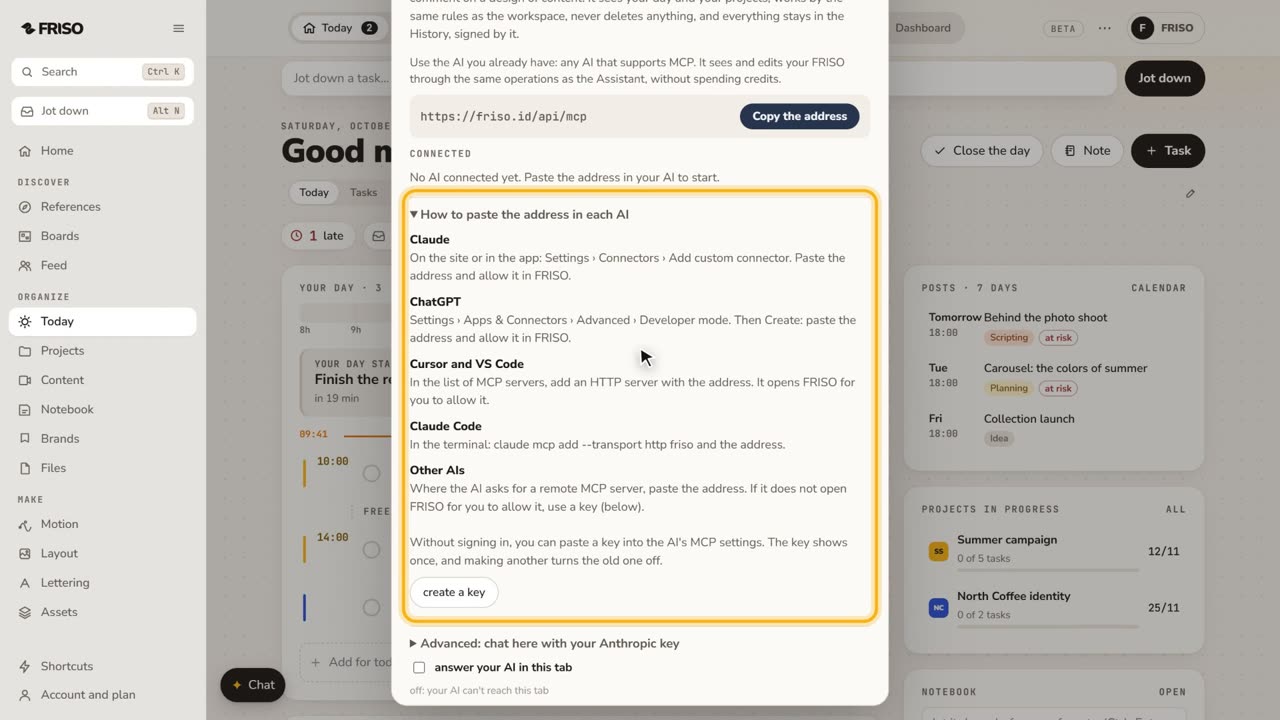 1:07How to connect Claude or ChatGPT to your projectsConnect your own AI to FRISO through MCP and ask it to organize tasks and projects. It never deletes, and every change is signed.
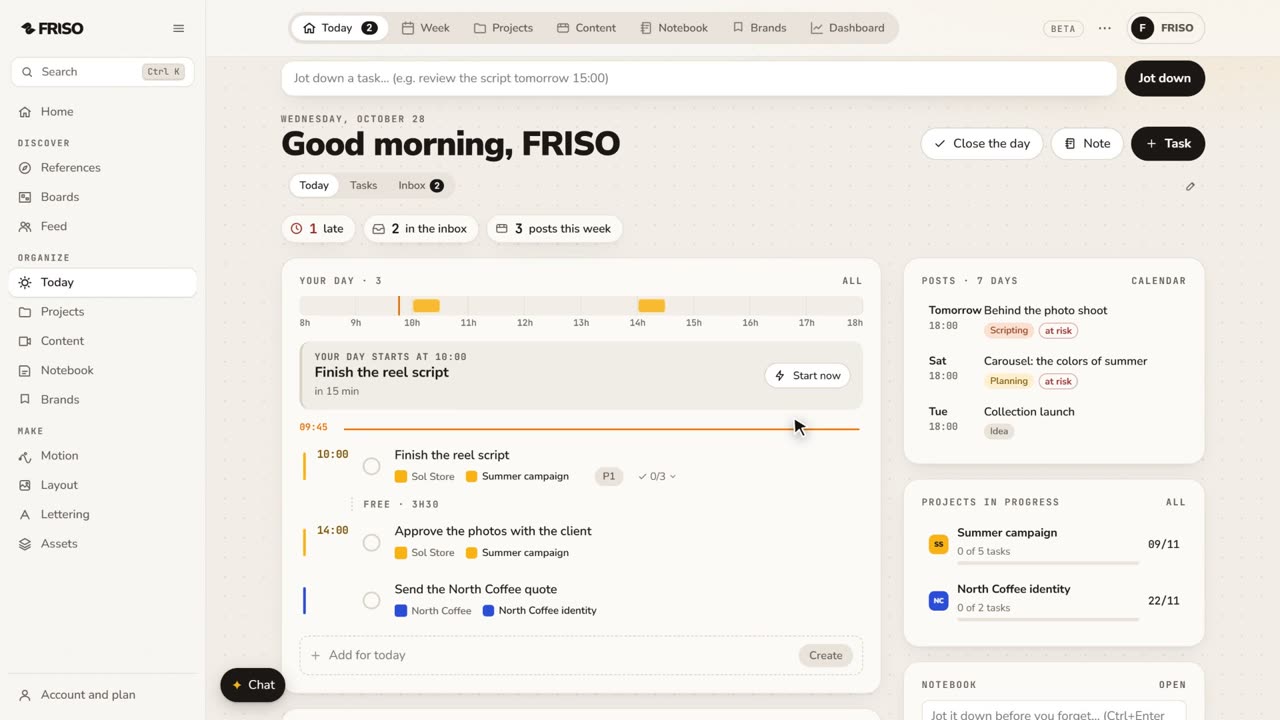 0:56Organize your work: day, week, projects and contentToday, Week, Projects, Content, Notes and Brands, one by one. Write tasks the way you say them, and let your own AI help organize.
The Assistant works by rules, for free, and you get 25 FRISO AI credits to try, once.
Your own AI across all of FRISO, and the Assistant with AI.
MCP is an open way to connect an AI to an app. With it, the AI you already use can work inside FRISO, with the permissions FRISO gives it.
Connected to FRISO, it can sort files into folders, rename them and add new ones, and it does this even with FRISO closed. It cannot delete anything.
FRISO does not train AI with what people save. Your connected AI follows the terms of the provider you use.