Free
Ask clients for files by link. Sending folders for approval is on Pro.
To share large files with a client, send a FRISO folder by link. The client opens it with no account, sees a light preview, comments on the exact point of the file and approves. You can add a password and an expiry date, and the download opens only for what was approved.

A transfer link expires, a chat app crushes the quality, and the feedback comes back in five different threads. Then someone asks which version was the approved one.
One link, in the language of whoever opens it. Nothing to install.
The client marks the spot on the image or the second of the video.
Each send is a round. Corrected files go back as a new version, and you see what changed.
Choose how long the link stays open and who can open it.
The final file can open only once the client approves it.
Send a link asking for the logo or the photos. What arrives falls into the right folder.
| Common drive | Transfer link | FRISO Pro | |
|---|---|---|---|
| Best for | Keeping documents | One quick send | Creative work with clients |
| The file stays online | Yes | Until the link expires | Yes |
| Free space | Usually several GB | Free sends, with limits | 500 MB on Free |
| Client comments on the file | Varies by service | Usually not | Yes, at the exact point |
| Approval record | No | No | PDF receipt |
| Download only after approval | No | No | Yes |
| Tied to the project | No | No | Yes |
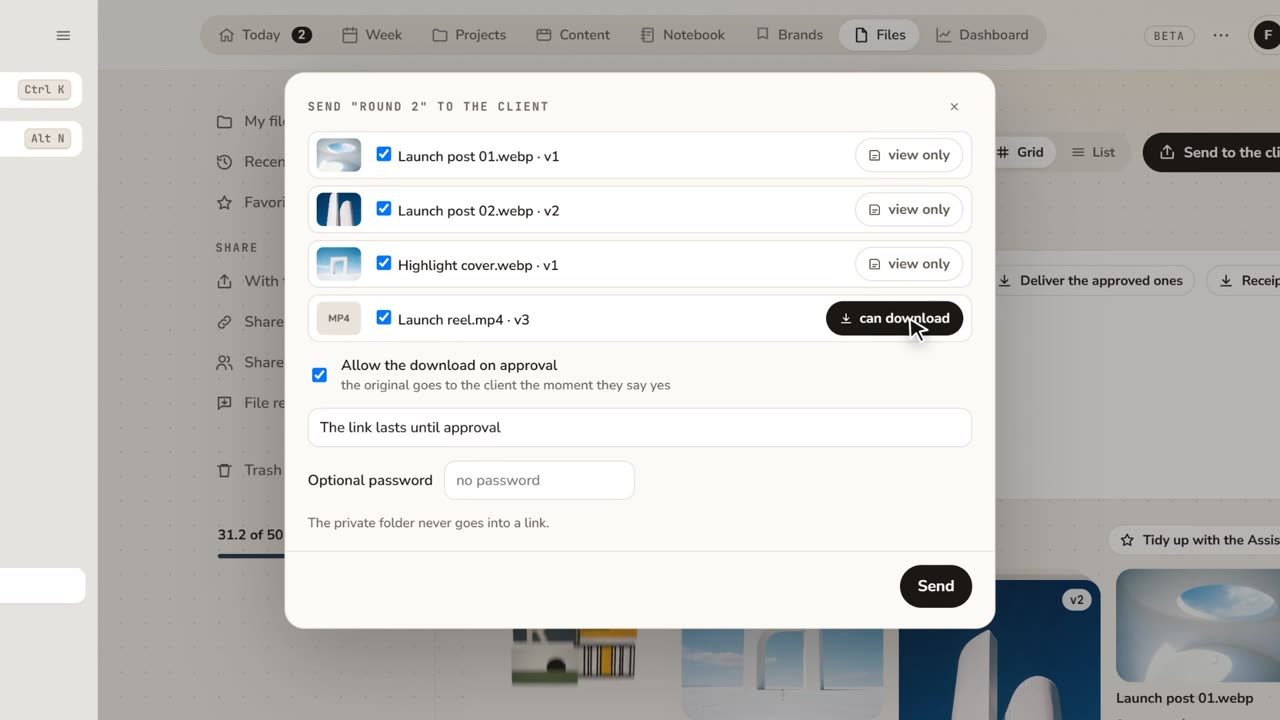 1:48How to share files with clients for approvalFeedback lost in email threads? Send a folder as a link: the client comments on the exact spot and approves, with no account.
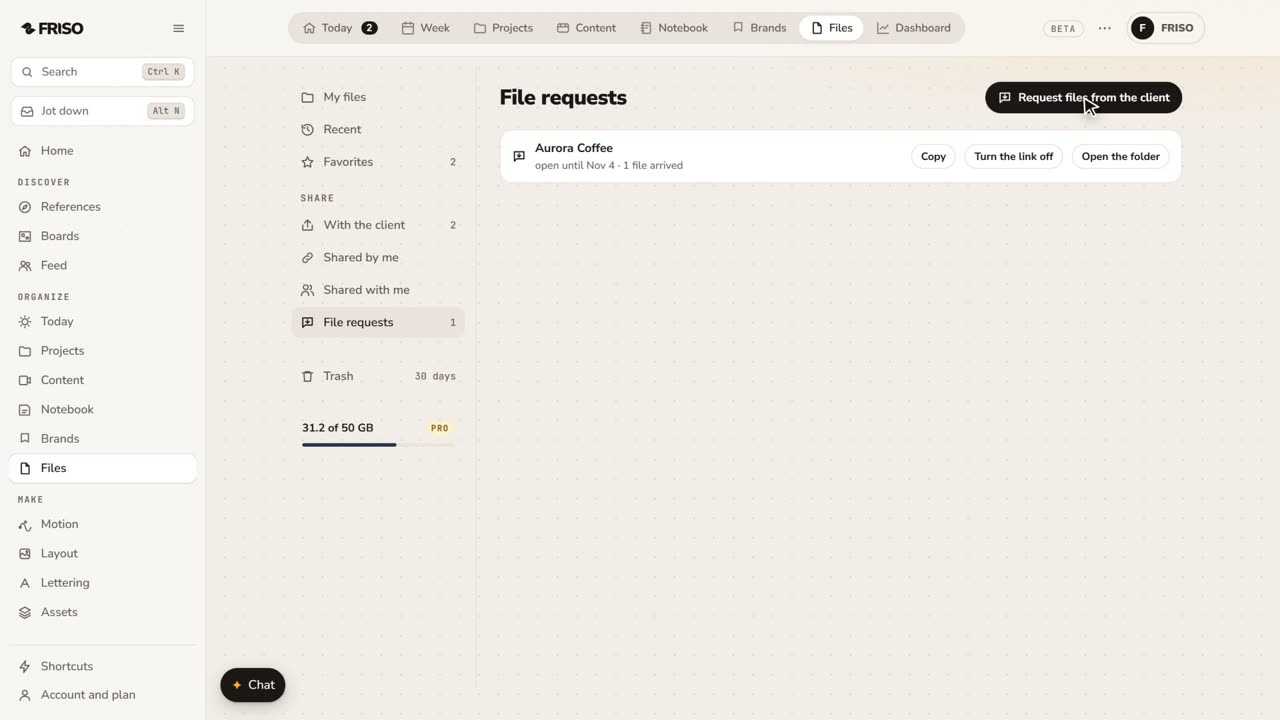 1:07How to request files from a client with one linkClient files scattered across WhatsApp and email? Send one link: they upload with no account, and it all lands in your folder.
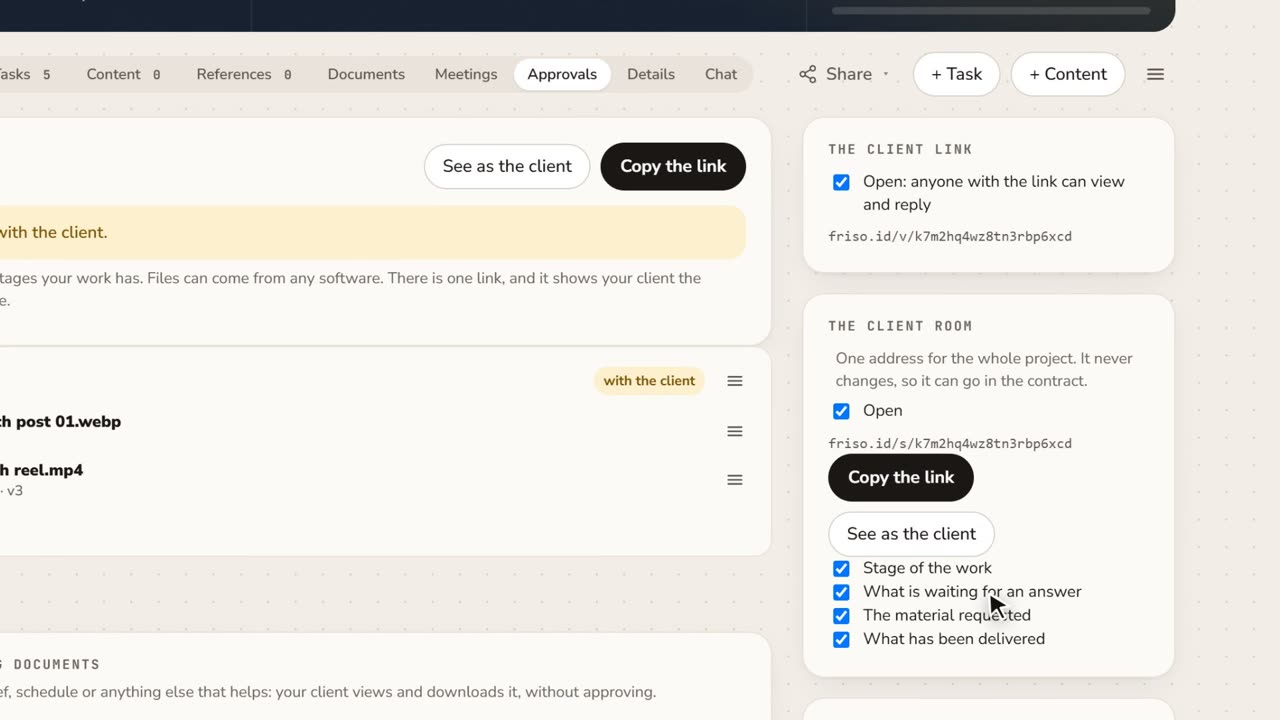 1:15A client portal for each project, with approval receiptsClient asking where things stand? Give them one address for the whole project, and keep a receipt of every approval as a PDF.
Ask clients for files by link. Sending folders for approval is on Pro.
Folders for clients to approve and download, with password, expiry date, comments and versions.
Upload it to a FRISO folder and send the link. The client watches a light preview right away, with no download, and your original stays intact. On Pro there is no limit per file, only your total space.
No. The client only types a name to reply, so you know who approved.
Yes. Each round has a receipt in PDF with the file, the version, who approved and when.