Free
Every style, the mp4 in 1080p and 1 After Effects project a month, with no watermark.
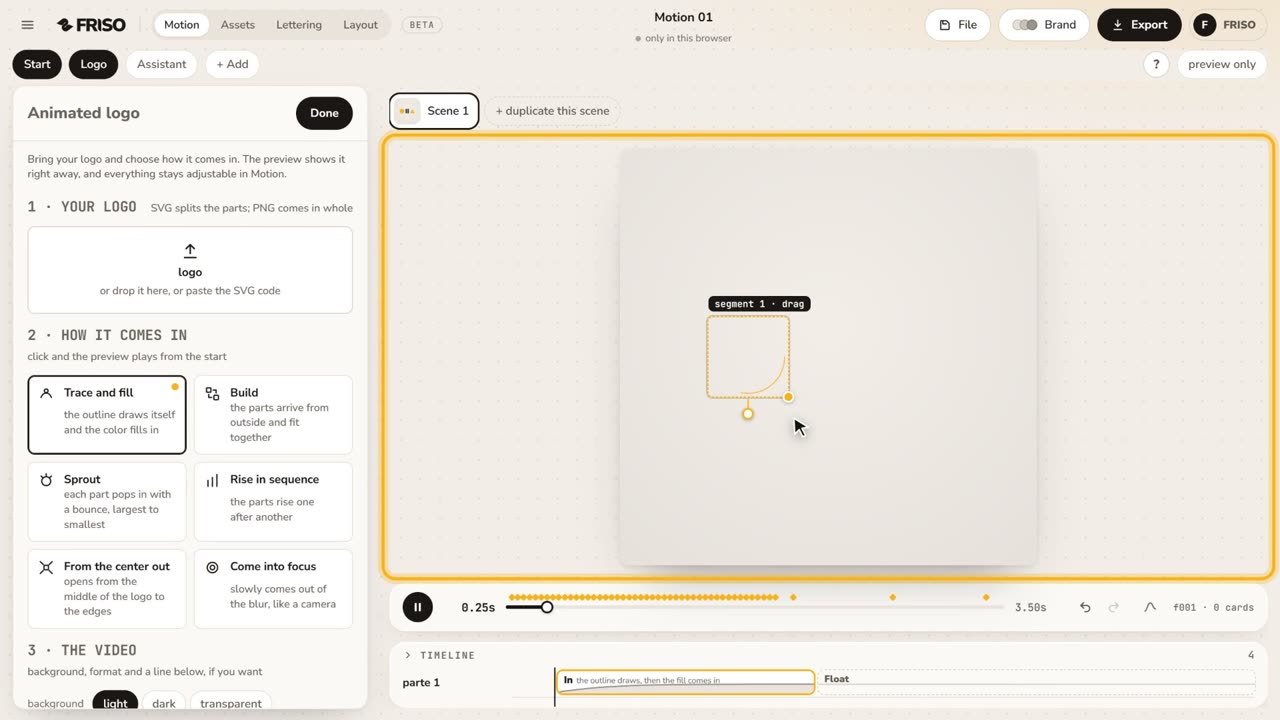
To animate a logo online, open FRISO's Animated logo, bring your file and pick one of six ways in: trace and fill, build, sprout, rise in sequence, from the center out or into focus. An SVG comes in parts, so each part of the logo moves on its own. Free downloads an mp4 in 1080p; Pro adds a transparent background, 4K, fine-tuning of each part and After Effects without a limit.

A logo generator makes a logo that is not yours, and a template pack asks for the software and an afternoon to swap the layers. You only wanted your own logo to come in well.
FRISO animates the file you bring. It never invents a logo.
The symbol, the name and each shape become their own pieces, in the colors of the file.
Click a style and the preview plays from the start.
Square, wide or vertical, with a line below for the name or the slogan.
Done opens the full Motion, with every part still adjustable.
Each part arrives as a shape layer, with the timing controls.
Every style, the mp4 in 1080p and 1 After Effects project a month, with no watermark.
Fine-tuning of each part (timing, curve, order and pivot), a transparent background, 4K and After Effects without a limit.
Yes. Free has every style and downloads an mp4 in 1080p with no watermark.
An SVG, because it comes in parts and each part animates on its own. A PNG or JPG comes in whole.
Yes, on Pro: download a webm with a transparent background and drop it into any editor.