Free
A selection of text styles, 1080p and 1 After Effects file a month, with no watermark.
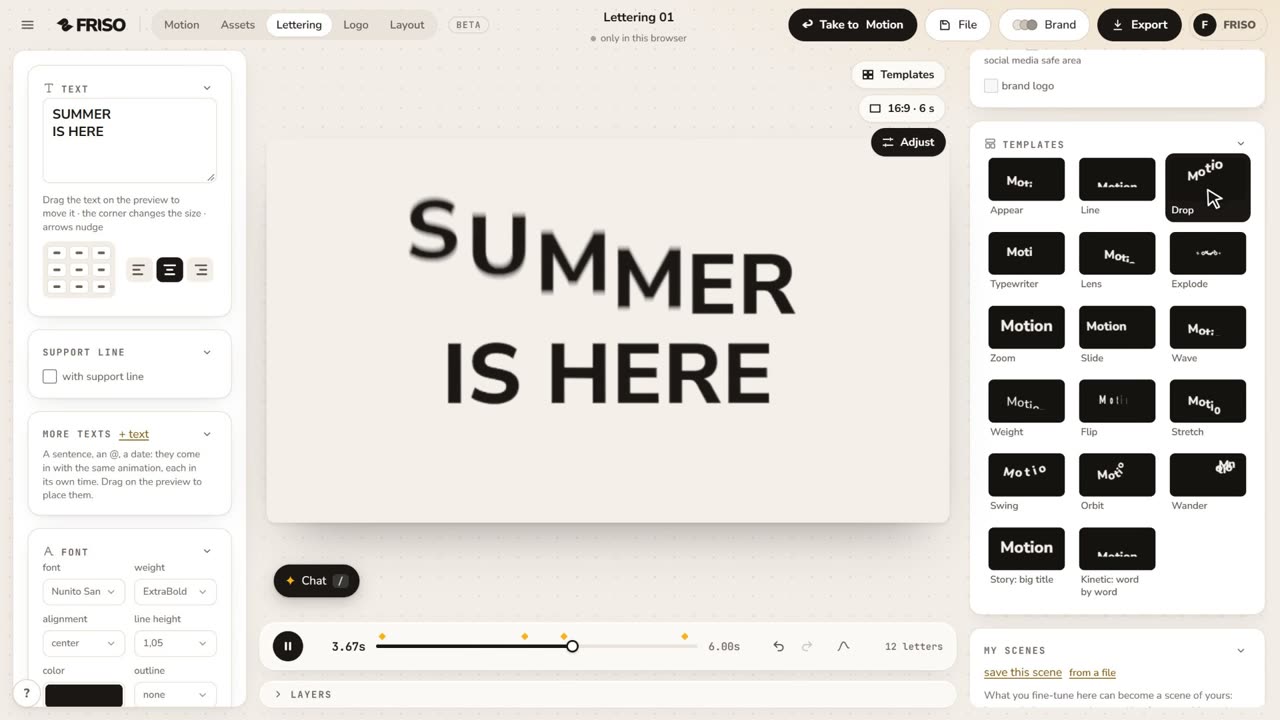
To animate text online, open FRISO Lettering, write your title and pick a style. The text moves by letter, word or line, and you adjust the timing while you watch. Export it as video, or take it to After Effects with one layer per letter. Free has a selection of styles in 1080p and one After Effects file a month.

Kinetic type takes keyframes on every letter, or a preset that breaks when the text changes. A title for a reel should not take an afternoon.
Choose what moves and the order it comes in.
The animation follows the new words.
Use the colors and fonts of your brand.
Take the title into a Motion scene with your photos.
On Pro, export with alpha to drop over your video.
In After Effects, each letter is its own layer.
A selection of text styles, 1080p and 1 After Effects file a month, with no watermark.
Every style and control, a transparent background, 4K and After Effects without a limit.
Write it in FRISO Lettering, pick a style and export. On Pro, the transparent background lets you put it over any video.
Yes. The download for After Effects rebuilds the text with one layer per letter.
Yes, with a selection of styles, no card and no watermark.